 SpeedTest
ms
Ping
Send repeated HTTPS reachability checks to an IP address or domain and compare response times.
Speed is only one part of a network. These iPhone tools help inspect delay, reachability, addressing, local devices, and public network details.
See all six tools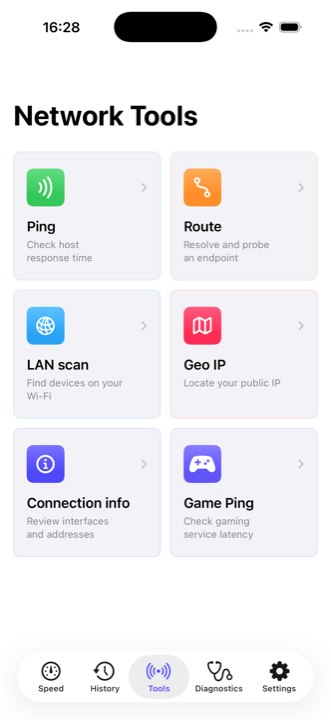
Send repeated HTTPS reachability checks to an IP address or domain and compare response times.
Resolve an endpoint and probe its reachability. This is a route-oriented check, not a full hop-by-hop traceroute.
Find responsive devices on the current Wi-Fi subnet. Results depend on iOS local-network permission and how devices answer probes.
Look up approximate location and organization information for your public IP address, with Apple Maps context.
Review active interface names and assigned addresses for Wi-Fi, cellular, and other available network paths.
Compare HTTPS response time to public services for popular games and platforms.
Run a speed test to establish download, upload, and baseline latency.
Test again near the router or on another connection to isolate Wi-Fi from the internet service.
Use diagnostics and a focused tool when the speed result alone does not explain the problem.
Mobile operating systems restrict low-level network access. Ping and Game Ping measure HTTPS response time, which is useful for comparison but is not identical to ICMP ping or in-match latency. LAN Scan can miss devices that sleep, block requests, use client isolation, or do not respond during the scan. Geo IP is approximate and usually describes the provider’s network exit, not a precise device location.
Diagnostics combines six common checks into one guided run.